
You can add a destination list to Umbrella at any time; however, a destination list does not necessarily come into effect when first created. If you add a destination list through the policy wizard, that destination list immediately becomes part of that policy and thus immediately takes effect. If you add a new destination list outside of the policy wizard, you must add it to a policy before it comes into effect.
Prerequisites
- Full admin access to the Umbrella dashboard. See Manage User Roles.
Procedure
- Navigate to Policies > Policy Components > Destination Lists and click Add.
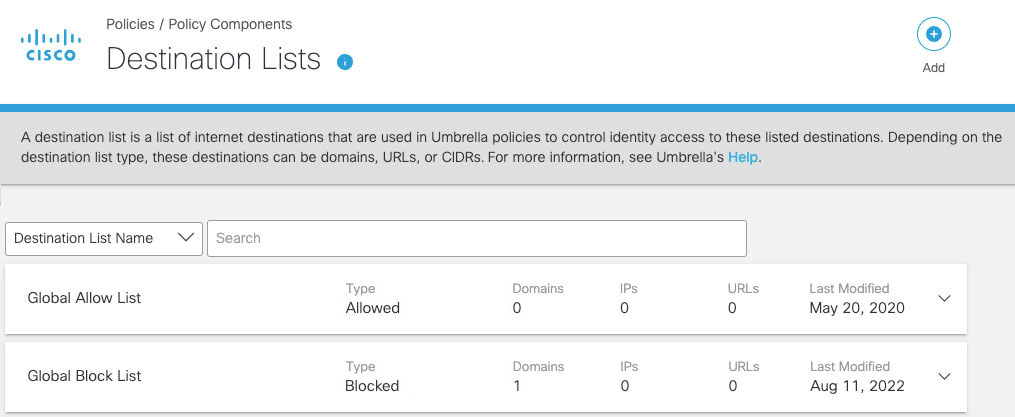
- Give your destination list a descriptive name (e.g. CanIPhish Simulated Phishing Domains), select Allowed, add the domains listed below, and then click Save.
authwebmail.com
cmail31.com
securesupportcloud.com
webnotifications.net
alerting-services.com
onlineverify.net
verificationweb.net
portal-login.net
cloud-notification-services.com
authenticationsecure.com - The destination list has been saved! Now we need to add the destination list to a policy that applies to all employees. If you have an existing policy, please modify it to include the newly created destination list; otherwise, please follow this guide by Cisco to Add A New Policy.
CanIPhish's simulated phishing websites should now load without issue. If you run into any trouble, please contact the CanIPhish team for support.
Comments
0 comments
Please sign in to leave a comment.